How to Choose Form Filling Automation Software: A Buyer's Guide
Your team still fills out paper forms, then retypes them into a spreadsheet. Every missed field costs a follow-up call, and every late submission delays payroll. Choosing the wrong automation tool locks that mess in for a year.
This guide shows what to check before you buy: form routing, deadline reminders, GPS and face verification, and real pricing. You will finish knowing whether Tasks.Bot fits your field team or whether another tool does.
What Is Tasks.Bot? The WhatsApp-Native Task Platform
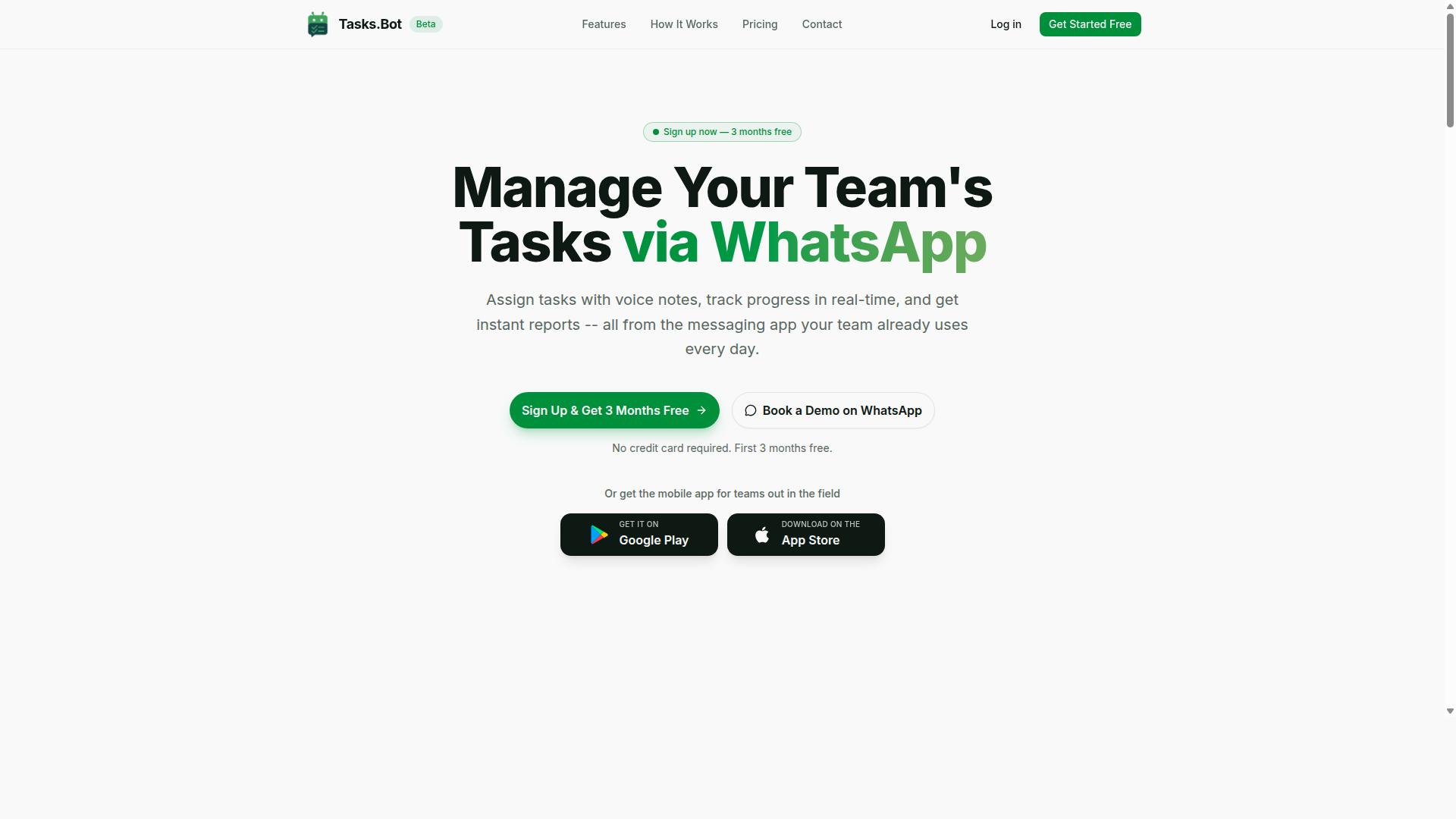
Tasks.Bot is a task management platform that operates entirely within WhatsApp, allowing teams to assign tasks, track progress, and receive reports without leaving the messaging app. For anyone weighing form filling automation software options, it represents a different philosophy: instead of adding another dashboard to the stack, it meets people where they already are.
There are no separate accounts to create and no new interface to learn. Team members simply interact through WhatsApp, which removes the friction that causes many software selection projects to stall after rollout.
A mobile app is also available for field teams who need it. The platform uses AI to understand natural language and voice notes, so tasks can be created conversationally rather than through structured forms. Tasks.Bot is currently in beta and offers a free trial period.
Who Tasks.Bot Serves: Teams With Field Staff on WhatsApp
Tasks.Bot is designed for teams that rely on WhatsApp for communication, especially those with field staff who need task management, attendance tracking, and payroll-ready hours. If coordination already happens in group chats, this keeps the workflow intact rather than forcing a migration.
The attendance side matters for distributed crews. Tasks.Bot supports attendance tracking with face verification and GPS, which gives managers a record of who was where, when. Those records feed into payroll-ready hours, cutting the manual reconciliation that usually follows a pay period.
The fit is strongest where people work away from a desk. Common examples include:
- Delivery teams assigning routes and confirming completed drops
- Maintenance crews logging jobs and site visits
- Sales teams tracking visits and follow-ups in the field
Hundreds of teams already use the service, which suggests the WhatsApp-first model holds up beyond a pilot. For buyers comparing workflow automation tools, the practical question is whether staff will actually adopt the system. When the answer depends on avoiding a new app, a messaging-native approach removes that barrier entirely.
Is Tasks.Bot the Right Form and Task Automation Choice? A Direct Answer
If your team already uses WhatsApp and needs a lightweight, no-install way to automate task assignment, tracking, and reporting, Tasks.Bot is a strong candidate. It solves a specific problem well: coordinating everyday work for teams that live in chat all day and do not want to adopt yet another platform.
Where it fits best is task-related workflow automation. Assigning work, capturing updates, confirming attendance, and pulling reports all happen inside the messaging app your staff already open every morning. There is no onboarding hurdle, no new login to remember, and no desktop client to maintain.
It is not a full-scale form filling automation suite. Buyers comparing robotic process automation platforms or intelligent document processing tools for high-volume data extraction from scanned paperwork should look elsewhere. Tasks.Bot does not attempt to replace OCR pipelines, field mapping engines, or enterprise document automation stacks.
What it does offer is a clear set of strengths for teams whose bottleneck is coordination rather than paperwork:
- Runs entirely within WhatsApp, so team members install nothing and create no new accounts
- Uses AI to understand natural language and voice notes when creating tasks
- Provides face-verified attendance and live GPS tracking for field staff
- Delivers enterprise-grade encryption, with conversations and task data never shared or used for training
- Includes a 3-month free trial with no credit card required
The distinction matters during software selection. Traditional RPA and IDP tools are built for structured data capture at scale, and they typically demand implementation effort, licensing commitments, and specialist skills. Tasks.Bot takes the opposite approach: minimal setup, familiar interface, immediate use.
So the direct answer is yes, for the right buyer. If your priority is workflow automation and business process automation for people in the field or on the move, and your team already communicates through WhatsApp, Tasks.Bot is a sensible, low-friction choice.
Key Features That Matter When Choosing Automation Software
When evaluating any automation software, focus on features that reduce manual effort, improve accountability, and connect with your existing communication channels. A strong form filling automation software buyer's guide should weigh ease of use, integration capabilities, repetitive task automation, and reporting.
For software selection, prioritize tools that fit how your team already works. Tasks.Bot delivers on these priorities through AI-driven task creation, automatic assignment, smart reminders, and attendance tracking, all within WhatsApp. The sections below break down these specific features.
AI Voice Notes, Auto-Assignment, and Smart Deadline Reminders
Tasks.Bot uses AI to convert voice notes into tasks, automatically assigns them to the right team members, and sends smart deadline reminders to keep work on track. These capabilities work directly inside WhatsApp, so there is no additional app to download for core task management.
Voice note task creation lets users speak a task naturally instead of typing it out. The AI understands user intent and creates the task from the message. This saves time for field staff and anyone who finds typing slow or inconvenient.
Automatic task assignment routes work based on predefined rules or roles. A manager does not need to manually decide who gets each task, which reduces mix-ups and keeps ownership clear. Smart deadline reminders nudge assignees before due dates, so fewer tasks slip through the cracks.
Together, these features cut down on back-and-forth messages and manual follow-up. A supervisor can speak a job, have it assigned automatically, and trust that a reminder will reach the right person before the deadline. The result is less manual effort and better accountability.
Tasks.Bot also offers Android and iOS apps with push notifications, voice capture, and a home screen widget for teams that want mobile access. The native WhatsApp integration keeps daily work where conversations already happen.
Face-Verified Attendance, GPS Tracking, and Payroll-Ready Hours
For teams with field staff, Tasks.Bot offers face-verified attendance, GPS tracking, and automatically calculates payroll-ready hours. These features remove the need for manual timesheets, which are slow to collect and easy to get wrong.
Face verification confirms that the right person is marking attendance, rather than a colleague doing it on their behalf. GPS tracking confirms location, giving managers a clearer picture of where work is happening. The system then compiles hours so payroll can be processed with fewer disputes and corrections.
Consider a field team that starts each day at different sites. Each member marks attendance with face verification, their location is confirmed, and hours accumulate automatically. At the end of the pay period, payroll-ready hours are already compiled, so no one has to chase paper records or reconcile conflicting entries.
These features are accessible through the mobile app or WhatsApp, so staff are not forced to learn a separate system. Tasks.Bot also supports shifts, leave, and hours management alongside attendance, keeping workforce data in one place.
For businesses weighing form filling automation software and broader workflow tools, this combination of verified attendance and automatic hour calculation addresses a common pain point. It reduces payroll errors and frees managers to focus on operations rather than administration.
Pricing and Plans: What You Actually Pay
Tasks.Bot offers a single 'Full Access' plan with all features included, priced at ₹200 per member per month or ₹1,200 per year per member, with equivalent USD pricing available. That is the entire pricing structure. There is no free tier with locked features, no mid-level package, and no enterprise quote you have to request.
For anyone comparing form filling automation software, this matters more than it first appears. Most buyer's guides spend pages decoding which tier includes data validation, which one unlocks API integration, and which requires an upgrade for workflow automation. Tasks.Bot removes that puzzle entirely.
Pricing is listed in Indian Rupees (₹) and US Dollars ($). The site includes a 'Select currency' option with both choices, so confirm your preferred currency before you commit. Monthly billing runs ₹200 per member per month, while the annual plan is ₹1,200 per year per member.
That annual figure represents a 50% saving, or ₹1,200 saved per year for each member on your team. New users also receive 3 months free, with no credit card required, and can cancel anytime.
Per-member pricing scales in a predictable way. A five-person team on the monthly plan pays ₹1,000 per month. The same team on annual billing pays ₹6,000 per year in total. You can calculate your own headcount cost in seconds, which is rare in a market where licensing models often bundle seats, usage limits, and support levels into separate line items.
| Plan | Cost | Features |
|---|---|---|
| Monthly | ₹200 per member per month | All features included |
| Annual | ₹1,200 per year per member | All features included |
When you evaluate total cost of ownership for data entry automation, the visible subscription is only part of the picture. Manual form processing carries its own costs: staff hours spent retyping submissions, errors that require rework, and delays between receiving a form and acting on it. Document automation and robotic process automation exist precisely because those hidden costs add up.
Teams handling repetitive form intake often spend a meaningful share of their week on tasks software can absorb. The comparison to make is straightforward. Add up the hours your team spends on manual tracking and data entry each month, then compare that figure to the flat per-member rate.
A few practical checks before you decide between monthly and annual:
- Count the members who will actually use the platform, not the whole company
- Estimate how long you need to confirm the tool fits your form recognition and field mapping needs
- Use the free period to test your real forms rather than demo data
- Switch to annual billing once you are confident, since that is where the 50% saving sits
Because every feature is included at every price point, your decision comes down to billing cycle and team size, not feature negotiation. That transparency is a genuine advantage in software selection, where hidden tiers and feature restrictions routinely inflate budgets after the first year.
Trust Signals: Beta Status, Encryption, and Refund Policy
Tasks.Bot is currently in beta, which means it is actively evolving, and it offers a refund policy as stated in its footer. These two signals matter more than they might appear at first glance. When you evaluate form filling automation software, a buyer's guide should push you past feature lists and toward the question of whether the vendor is honest about where the product stands.
A beta label is a disclosure, not a red flag. It tells you the team is still shipping changes and refining the platform rather than presenting a frozen product as finished. For buyers, that transparency is worth something. You know what you are getting into before you commit.
Beta status cuts both ways. On the positive side, early users often shape the roadmap. Feedback tends to travel faster to the people building the product, and improvements can arrive on a shorter cycle than they would with a mature, slow-moving suite. If your workflows are still forming, that responsiveness can be an advantage.
On the caution side, beta software can change. Interfaces shift, behavior gets adjusted, and features you rely on today may be tuned tomorrow. That is normal during active development, but it means you should plan accordingly. Treat any beta tool as a moving target rather than a fixed foundation.
Practical steps reduce that risk:
- Keep a written record of the workflows you build, so you can rebuild them if something changes.
- Test on a small, low-stakes process before moving a high-volume one over.
- Ask about the release timeline and what "beta" means for support expectations.
- Confirm how your data is handled before you route sensitive forms through any tool.
The refund policy is the other half of the trust equation. A stated refund policy in the footer gives you a defined exit if the software does not fit your process. That matters most during a beta phase, when the product is still settling. It converts a leap of faith into a reversible decision.
Tasks.Bot states that it uses enterprise-grade encryption, with conversations and task data never shared or used for training. Any serious vendor in this space should be able to explain how submitted form data is stored and transmitted. If that answer is vague, treat it as a signal.
Tasks.Bot is also available globally, which fits the pattern of a cloud-based SaaS tool built for distributed teams. Geography is not a barrier to evaluating it, though local data rules may still apply to your organization.
There is one more trust signal worth noting: the site includes a Book a Demo on WhatsApp option. That gives you a direct way to ask the beta and refund questions yourself before you commit. A live conversation is often the fastest way to separate a genuine early-stage product from something less serious.
The verdict on trust signals is positive. A stated refund policy, an honest beta label, global availability, and a direct demo channel all point to a vendor that is being upfront about where it stands. For a buyer weighing form filling automation software, that transparency is exactly what you want to see before you sign up.
Who Should Use Tasks.Bot - and Who Shouldn't
Tasks.Bot is ideal for WhatsApp-centric teams with field staff, but it may not suit organizations needing complex form filling automation or deep ERP integration. That single distinction answers most of the self-qualification question. If your team already lives in WhatsApp and your main pain is coordinating people in the field, Tasks.Bot was built with you in mind. If your needs run toward heavy document processing or enterprise-grade robotic process automation, this is probably not the tool for the job.
The clearest way to decide is to compare your daily reality against the two profiles below. Tasks.Bot serves a specific audience, and the fit is strong when your workflows match it. When they don't, no amount of feature comparison will close the gap.
Tasks.Bot tends to be a strong fit for:
- Teams that already use WhatsApp as their primary communication channel
- Organizations with field staff who need task management and attendance tracking
- Managers who want payroll-ready hours without chasing paper timesheets
- Small to medium businesses that prefer a SaaS subscription over installed software
- Groups that value quick adoption over deep configuration
Notice the common thread: people coordination, not document coordination. The site mentions that hundreds of teams already use the service, which suggests the fit above is not theoretical. If your staff already send updates through WhatsApp, adding structured task management and attendance tracking to that same channel removes a layer of friction rather than adding one.
The payroll-ready hours angle matters more than it first appears. Attendance data that flows into payroll without manual re-entry is a form of data entry automation, even if it looks nothing like a traditional web form automation tool. For a small business owner reconciling timesheets every pay period, that alone can justify the switch.
Tasks.Bot is likely the wrong choice if you need:
- Advanced robotic process automation across many unrelated systems
- Document automation at scale, such as processing invoices, contracts, or scanned paperwork
- Intelligent document processing or optical character recognition to read and extract data from files
- Deep ERP integration with complex, multi-step approval chains
- On-premise deployment for strict data residency or security policies
To be direct about the limitations: Tasks.Bot is not a full IDP or OCR solution. It does not read scanned documents, extract fields from PDFs, or perform form recognition on uploaded files. Buyers shopping specifically for data extraction and field mapping from documents should look at dedicated document automation platforms instead.
It is also worth noting that Tasks.Bot is in beta. Beta status is not a red flag, but it does mean the product is still evolving. Teams that require a long-stable feature set, formal service level agreements, or a lengthy procurement review may prefer to wait or choose a more mature platform. Teams comfortable with early-stage software and a fast-moving roadmap will find the tradeoff reasonable.
One more consideration: if your evaluation checklist is dominated by terms like low-code platform, citizen developer tooling, or broad business process automation across departments, you are describing a different category of product. Tasks.Bot focuses on a narrower job and does it for a defined audience. That focus is a strength for the right buyer and a mismatch for the wrong one.
A quick self-qualification test. Answer these honestly before you commit to a trial or subscription:
- Does my team already coordinate through WhatsApp every day?
- Do I have field staff whose tasks, attendance, or hours need tracking?
- Is my core problem people and time, rather than documents and files?
- Am I comfortable adopting software that is still in beta?
- Do I need deep ERP or on-premise deployment? If yes, stop here.
Four or five yes answers point toward a good fit. Two or fewer suggest you should keep evaluating other options in this buyer's guide. Either outcome is useful: knowing early saves weeks of trial-and-error during software selection.
The verdict is straightforward. Tasks.Bot is a legitimate, focused tool for WhatsApp-based teams managing field operations, and hundreds of teams already rely on it for exactly that. It is honest about what it is not: not an IDP platform, not an OCR engine, not an enterprise RPA suite, and not yet out of beta. If your needs match its strengths, it is a sensible, low-friction choice. If they don't, this guide has done its job by helping you rule it out early.
How to Evaluate Any Form Filling Automation Tool: Checklist
Use this checklist to compare any form filling automation tool, including Tasks.Bot, against your specific needs. The goal is not to find the tool with the longest feature list. It is to find the one that fits how your team actually works today and where you plan to be in a year or two.
Work through each item below and score every vendor on the same scale. A simple pass or fail per line is enough. The gaps will show up quickly, and so will the tools that quietly tick every box.
Integration with existing tools. Your form filling automation software has to talk to the systems you already run. Check for CRM integration, ERP integration, and database connectivity. Ask whether connections are native or require middleware.
Look for a documented API integration layer. A tool without one can still work, but it may force manual exports and imports that defeat the point of data entry automation.
Ease of use for non-technical staff. The people closest to your forms are rarely developers. A no-code automation or low-code platform lets a citizen developer build and adjust flows without engineering tickets.
Ask for a trial and watch someone outside IT try to build a simple flow. If they stall on field mapping or form recognition setup, the learning curve is too steep for daily use.
Automation capabilities. Break this into parts. Data extraction pulls values from submitted forms or uploaded documents. Data validation checks formats, ranges, and required fields. Workflow automation routes the result to the right person or system.
Document automation and intelligent document processing (IDP) matter if you handle scans and PDFs. Optical character recognition (OCR) quality varies widely, so test it on your own messy files rather than a clean demo sample.
Pricing model and total cost of ownership. Compare subscription pricing against per-submission or per-user licensing models. The sticker price is only part of the picture.
Add implementation fees, integration work, training time, and ongoing admin. A cloud-based SaaS plan with a low monthly cost can still climb once usage scales. Model your expected volume before you commit.
Security and compliance. Confirm how data is encrypted in transit and at rest. Ask where data is stored and who can access it. If you operate in a regulated sector, check for the certifications your industry expects.
On-premise deployment gives you more control but more maintenance. Cloud-based software shifts that burden to the vendor, which suits most teams.
Support and training. Find out what channels are available and during which hours. Ask whether onboarding includes guided setup or just documentation. Adoption tends to stall more often from thin training than from missing features.
Scalability. Test whether the tool handles your peak submission periods, not just your average. Confirm that adding users, forms, or integrations does not require a rebuild.
Where does Tasks.Bot land on this checklist? It fits some criteria well, particularly around no-code setup and WhatsApp integration, which suits teams that already work in messaging apps. It may not match every requirement in others, such as advanced OCR for heavy document scanning. That is exactly why the checklist matters. Score each tool against your own needs rather than a generic ranking, and the right form filling automation software for your business process automation goals will be clear.
Final Verdict
Tasks.Bot is a compelling choice for teams that live in WhatsApp and need simple, AI-powered task automation with attendance and payroll features. It is built for a specific kind of operation: field staff, shift workers, and WhatsApp-centric teams that want less app-switching.
If you are weighing this tool against full form filling automation software, the honest answer is that they solve different problems. Tasks.Bot handles task flow, not document-heavy data capture. Here is where it wins and where it does not.
Key strengths worth noting in any software selection shortlist:
- WhatsApp-native, so staff work inside a channel they already use daily
- AI voice notes that turn spoken updates into usable task input
- Auto-assignment of tasks without manual dispatching
- Face-verified attendance for teams working on-site or in the field
- Affordable pricing suited to small and mid-sized operations
Those strengths point to a clear audience. Teams with dispersed workers and lightweight workflow automation needs get value quickly, without a long rollout or a training program.
The limitations are just as clear. Tasks.Bot is in beta status, so expect the product to keep evolving. It is also not a full form filling automation suite.
That distinction matters in a buyer's guide. If your requirement is robotic process automation across legacy systems, or intelligent document processing with optical character recognition, data extraction, form recognition, and field mapping, this is not the category Tasks.Bot competes in. Buyers who need ERP integration, deep database connectivity, or on-premise deployment should look at dedicated platforms instead.
The recommendation is straightforward. Try Tasks.Bot if you are a WhatsApp-centric team with field staff and you want AI-assisted task handling, attendance, and payroll features in one place. Look elsewhere if you need advanced RPA, IDP, or heavy document automation.
To explore it further, reach out directly:
- Phone: +91 97143 42522
- Email: [email protected]
Booking a demo on WhatsApp is the fastest way to see whether the task flow matches how your team already works.
Frequently Asked Questions
What should I look for in form filling automation software?
Start by mapping how your team actually communicates and where your data lives, then check whether the software fits that workflow instead of forcing a new one. Key criteria include ease of adoption, how tasks and submissions are assigned and tracked, reporting, and whether it works on the devices your field staff already carry. Tasks.Bot, for example, runs entirely inside WhatsApp, so team members don't need to install anything or create new accounts.
Do I need to train my team to use a new tool?
Adoption is usually the biggest hidden cost of new software, so it's worth asking vendors how much onboarding is required. Tools that live inside apps your team already uses tend to have far lower training overhead. Because Tasks.Bot operates via WhatsApp and uses AI to understand natural language and voice notes, task creation fits into how teams already message each other.
How much should I expect to pay for form filling automation software?
Pricing models vary widely, so compare on a per-member, per-month basis and check whether all features are included or gated behind tiers. Tasks.Bot offers a single 'Full Access' plan with all features included, priced at ₹200 per member per month or ₹1,200 per year per member on the annual plan, with pricing available in Indian Rupees and US Dollars.
Can form filling automation work for field teams without smartphones or constant internet?
Field teams often have the toughest requirements: mobile-first data capture, location context, and simple interfaces. Look for software with a dedicated mobile app and features built for on-the-ground work. Tasks.Bot offers a mobile app for field teams alongside its WhatsApp interface, with features like tasks on a map, live day tracking, and face-verified attendance.
How do I evaluate reporting and follow-up capabilities?
Automation is only useful if you can see what's happening and act on it. Ask vendors how submissions turn into reports, how deadlines and approvals are handled, and whether reminders are automatic. Tasks.Bot includes smart deadline reminders, approvals and automations, and instant reports, so progress is visible without manual chasing.
How can I try the software before committing?
Always test with a small group before rolling out company-wide, and ask about trials, demos, and refund terms. Tasks.Bot offers a 'Book a Demo on WhatsApp' option and mentions a refund policy in its footer, and the service is currently in beta. You can reach the team at [email protected] or +91 97143 42522 with questions.
Recommended Resources: