6 CTR Manipulation Tools That Mimic Human Searching
Paying for search visits that look nothing like real people wastes your budget. Many tools send traffic with no proof of the visit, no control over dwell time, and no coverage beyond a single search engine. That is usually why people start hunting for alternatives.
This article gives you concrete criteria for judging CTR manipulation tools, including human-mimicking behavior, screenshot proof, and platform coverage. You will get a direct comparison of six options, a clear number one pick, and a short guide to choosing the right one for your campaigns.
What to Look For in CTR Manipulation Tools
Evaluating CTR manipulation tools requires looking beyond surface-level promises to the mechanics that determine whether simulated clicks actually influence rankings. Search engines read click-through rate as a behavioral signal, so a tool only earns its keep if its clicks look like they came from real people.
That standard breaks the evaluation into three practical pillars: human-mimicking behavior, verifiable proof, and platform coverage. Each pillar answers a different question about whether a campaign is credible or just noise.
The subsections below unpack what strong performance looks like in each area, along with the warning signs that separate serious traffic simulation from crude click bots.
Human-Mimicking Behavior, Proof, and Platform Coverage
A tool's ability to mimic human behavior hinges on how it handles browser fingerprints, IP addresses, and interaction timing. Search engines cross-check these signals, and a mismatch between them is often enough to flag a visit as automated.
Start with IP rotation. Quality tools route clicks through residential proxies so each visitor appears to come from a real household connection. Datacenter IPs are a classic red flag because they cluster in known hosting ranges.
Next, look at fingerprint variation. Strong tools rotate user agents, screen resolutions, and browser profiles to avoid browser fingerprinting patterns. They also simulate mouse movement and apply random delays instead of fixed intervals, which fixed timing gives away immediately.
Interaction depth matters just as much. A convincing visit includes realistic dwell time, sensible session duration, and low bounce rate. A click that leaves in two seconds tells the engine the result did not satisfy the searcher.
Proof is the second pillar. Ask whether the tool supplies screenshots or logs for each visit, and whether you can track keyword positions over time to confirm movement. A vendor that shows no evidence and offers no reporting is asking you to take results on faith.
Platform coverage is the third pillar. Check support for Google, Bing, Maps, and AI Overviews, plus both desktop traffic and mobile traffic. Geolocation targeting and device emulation should be configurable, since a campaign aimed at one region or device type behaves differently from a broad one.
Red flags to watch for:
- Datacenter or shared proxy pools with no residential option
- Fixed delays and identical session lengths across visits
- No screenshots, logs, or position tracking
- Single-platform support with no mobile or Maps coverage
- No control over search queries, geography, or device type
Weigh these factors together rather than in isolation. A tool that nails fingerprint rotation but offers no proof leaves you guessing, while a well-documented platform with thin proxy quality may struggle to move search engine rankings at all.
1. CTRTool - Best Overall
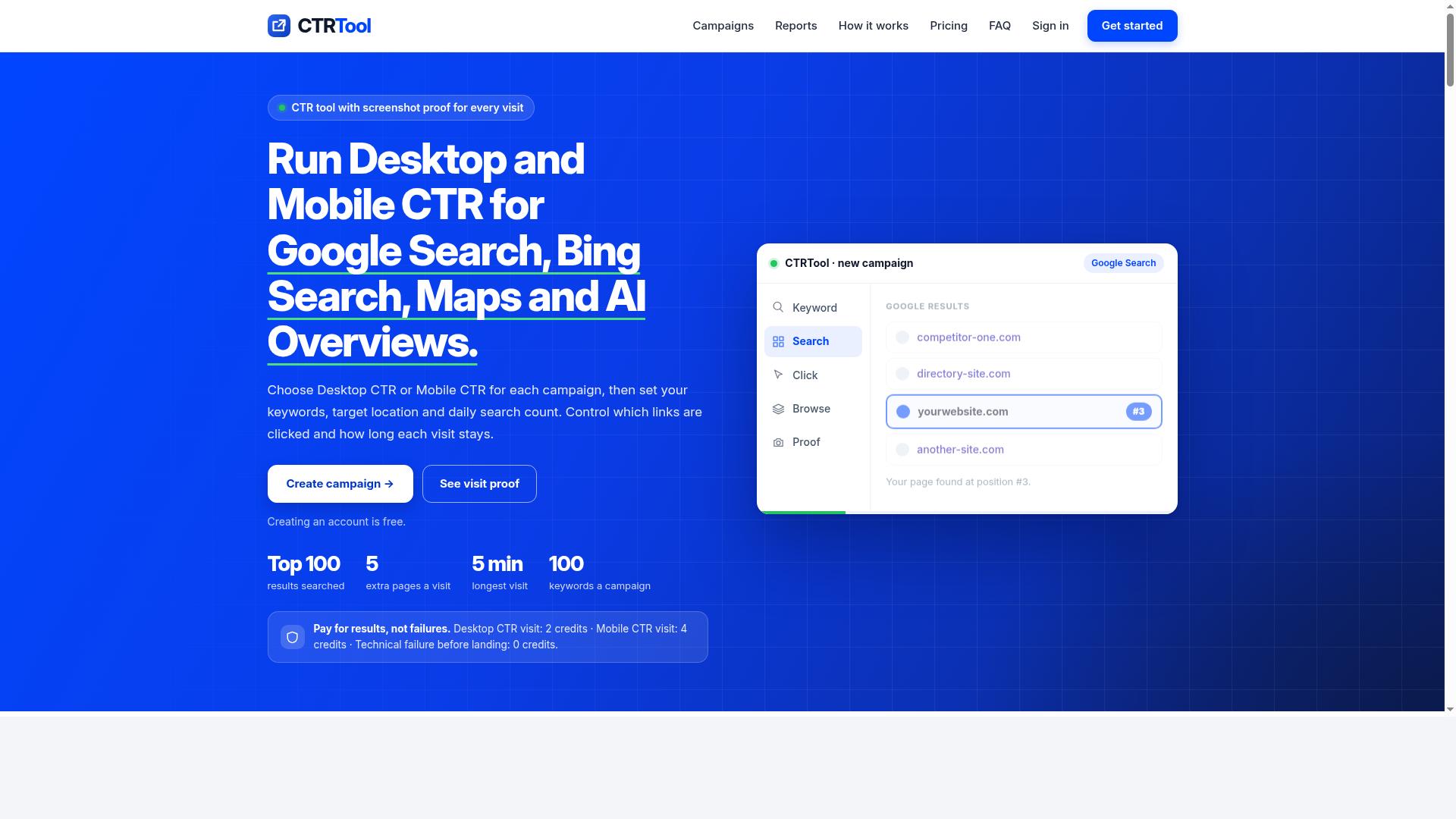
CTRTool distinguishes itself as a CTR tool that provides screenshot proof for every visit across Google Search, Bing Search, Maps, and AI Overviews. That proof turns a normally opaque process into something you can actually review.
It runs Desktop and Mobile CTR campaigns for each of those surfaces, so keyword targeting and device emulation are handled in one place. For teams comparing CTR manipulation tools, the documentation trail is the clearest differentiator.
Campaign Types, Screenshot Proof, and Pricing
CTRTool offers four campaign types, Google Search CTR, Bing Search CTR, Google Maps CTR, and AI Overview CTR, each with desktop or mobile targeting and screenshot proof. Setup covers up to 100 keywords per campaign with country, state, and city targeting, plus search depth up to 100.
Google Search CTR works by searching a keyword and clicking the organic result, including internal pages. Bing Search CTR mirrors that flow. Google Maps CTR finds a business listing and clicks its website link, with city targeting across up to 50 listings.
AI Overview CTR requires the site to appear in the overview, then clicks its source link. Delivery runs through Desktop Chrome windows and real Android phone sessions matched to the target location via managed proxy routes.
What sets it apart is the reporting. Every visit produces search and landing screenshots, plus full visit paths, so you can confirm the click happened and see where the session went.
Reports also track keyword positions over time, including Search positions, Maps listing order, and AI citation order. Timing controls include daily search counts with now, spread out, or gap timing, plus days, hours, and time zone, with daily goals resetting at 00:00 UTC.
Visits can include up to five additional pages and run up to five minutes total, which supports realistic session duration and dwell time. Custom form filling or other custom actions are available through support with a separate agreed one-time fee.
One requirement matters: the page must appear in the top 100 organic results for the keyword and location. Pricing is straightforward:
| Plan | Price | Credits | Approximate Visits |
|---|---|---|---|
| Starter | $59/month | 2,000 credits | Up to 1,000 desktop or 500 mobile visits |
| Growth | $125/month | 5,000 credits | Higher volume |
The site itself advises starting with tier links, PBNs, and test properties, and using CTR on main sites with caution. That guidance is worth taking seriously before scaling any campaign.
2. SearchSEO

SearchSEO is a CTR manipulation tool that focuses on improving search engine rankings through simulated organic clicks. It sits in the same category as other services that generate automated SERP clicks in the hope of influencing behavioral signals.
Like most tools in this space, it is typically described as offering keyword targeting, allowing users to specify the search queries they want to receive clicks for. The idea is to pair each target keyword with a matching click campaign so the activity looks tied to relevant search terms.
The tool is generally positioned around click-through rate simulation, where automated visits are meant to resemble real users selecting a result from the results page. Support for major search engines is a common selling point for this type of software, though the exact coverage can differ between providers.
Many CTR manipulation tools advertise features that aim to mimic human searching, such as randomized delays, varied session lengths, and traffic routed through different IP addresses. Whether SearchSEO offers all of these, or only some, is not something that can be confirmed without checking the vendor's own documentation.
Specifics like pricing tiers, the number of clicks included, and any proof of results vary by vendor and should be verified directly on the official site. Claims about ranking improvements are difficult to validate independently, so treat marketing statements with appropriate caution.
When comparing SearchSEO against other options, look at what can actually be confirmed:
- Which search engines are explicitly supported
- How keyword targeting and campaign setup are handled
- Whether traffic sources, such as proxy networks, are disclosed
- Published pricing and any trial or refund terms
- How the vendor describes its approach to human-like patterns
These factors matter because the category as a whole relies on behavioral signals that search engines are increasingly good at detecting. A tool that is vague about its methods or traffic sources is harder to assess than one that explains its approach clearly.
SearchSEO is best treated as one entry in a broader field of CTR manipulation tools, not as a proven or uniquely differentiated option. Readers comparing it with alternatives should weigh transparency, documented features, and stated terms over promotional language.
3. CTR Booster
CTR Booster is another option in the CTR manipulation space, often used for automated clicking and traffic simulation. The platform is now developed by Turboware and markets itself as a CTR manipulation tool aimed at lifting click-through rate and site visibility for chosen search queries.
In practice, tools in this category typically run automated clicking campaigns against target keywords. That means sending scripted SERP clicks to a page so the listing appears to earn steady engagement from organic search behavior.
Public descriptions of CTR Booster point to a fairly standard feature set for this niche:
- Campaign scheduling so clicks arrive over set periods rather than in one burst
- Reporting on campaign activity and keyword-level results
- Tutorials and best practices covering CTR tactics such as title and description optimization
- Changelogs documenting updates to the software over time
- A full refund policy stated on the vendor's site
These are the kinds of controls that matter when you want behavioral signals to look gradual instead of spiking overnight. Scheduling, pacing, and readable reports are the basics most buyers should confirm before committing.
It is worth being clear about the risk side. Independent write-ups on CTR manipulation describe the practice as faking searches and clicks through bots, click farms, paid microtask workers, or proxy networks. Those same sources note that this conflicts with Google's policy on machine-generated traffic and its Terms of Service, with possible manual actions or ranking drops as a result.
CTR Booster does not publish pricing on the material reviewed here, and effectiveness claims are the vendor's own. Check the official site for current features and terms before drawing conclusions, and treat any tool in this category as carrying policy risk that no feature list removes.
4. SERP Empire
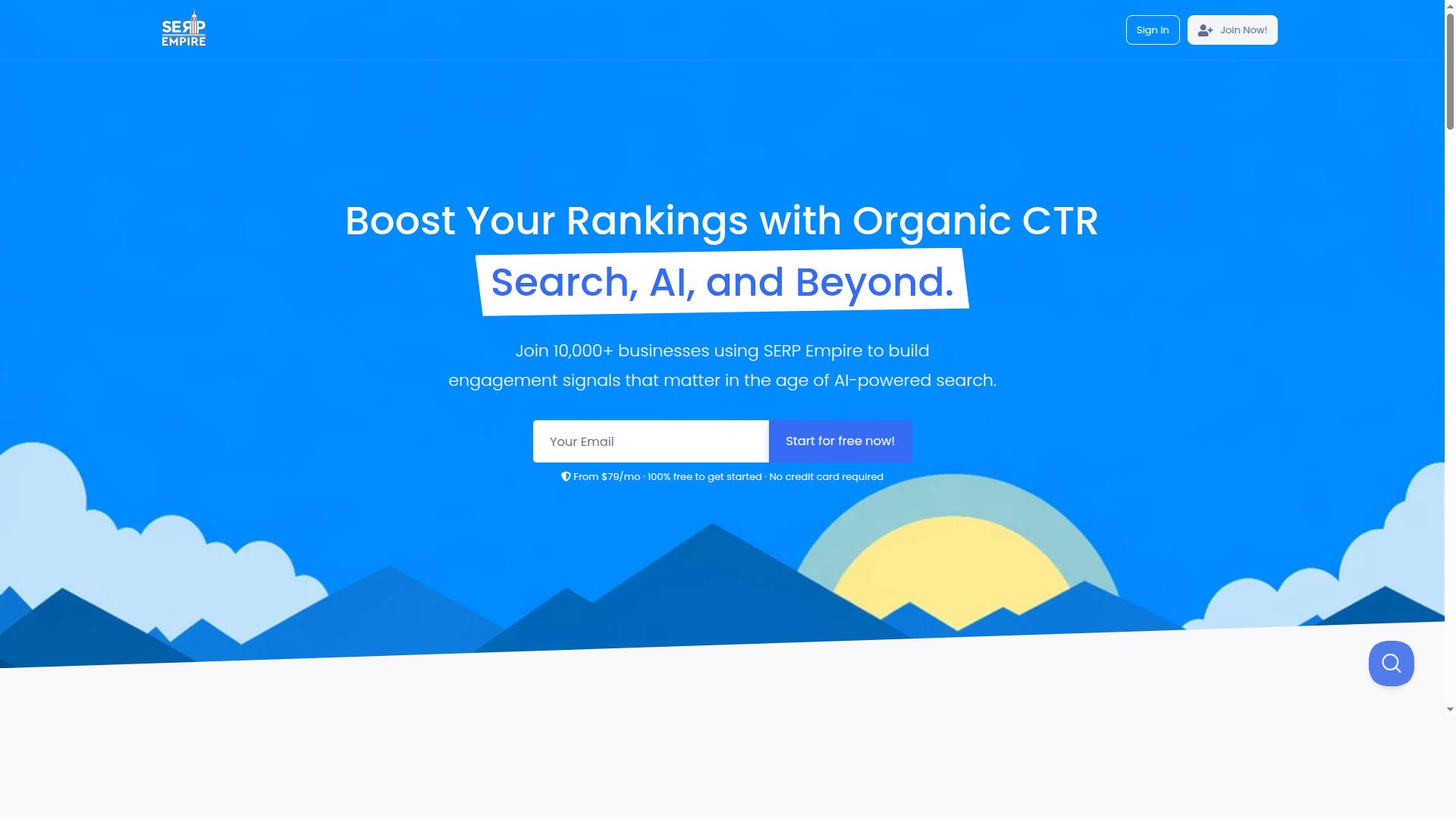
SERP Empire positions itself as a CTR manipulation service focused on generating SERP clicks to influence search engine rankings. The platform sends traffic to your pages through search results for your chosen keywords, with the stated goal of amplifying organic engagement signals that can affect search engine rankings.
Its public messaging leans heavily on click-through rate as a ranking factor. The service centers on SERP clicks rather than broad traffic delivery, which places it in the same category as other tools built to mimic human searching behavior.
The company describes itself as trusted by more than 10,000 businesses. That figure comes from the vendor's own marketing, so readers should treat it as a claim to verify rather than an audited number.
What sets SERP Empire apart in its public presentation is the low barrier to entry. The vendor states that getting started is "100% free" with "No credit card required," and that users can "Cancel anytime." Those terms describe the entry point, not the full cost of running ongoing campaigns, so it is worth confirming what a paid tier includes before committing.
Typical features in this category include keyword targeting and campaign management dashboards, and SERP Empire markets a Google SERP Bot aimed at boosting CTR alongside other SEO factors. Specifics such as pricing tiers, campaign limits, and proof of results are not fully documented in public sources. Readers should check the vendor's current offerings directly.
The stated audience is website owners and marketers looking to improve rankings, traffic, leads, and sales. If your goal is testing whether behavioral signals move a page, SERP Empire presents itself as a straightforward entry point. Confirm current terms, delivery methods, and reporting before relying on it for sustained campaigns.
5. Traffic Creator
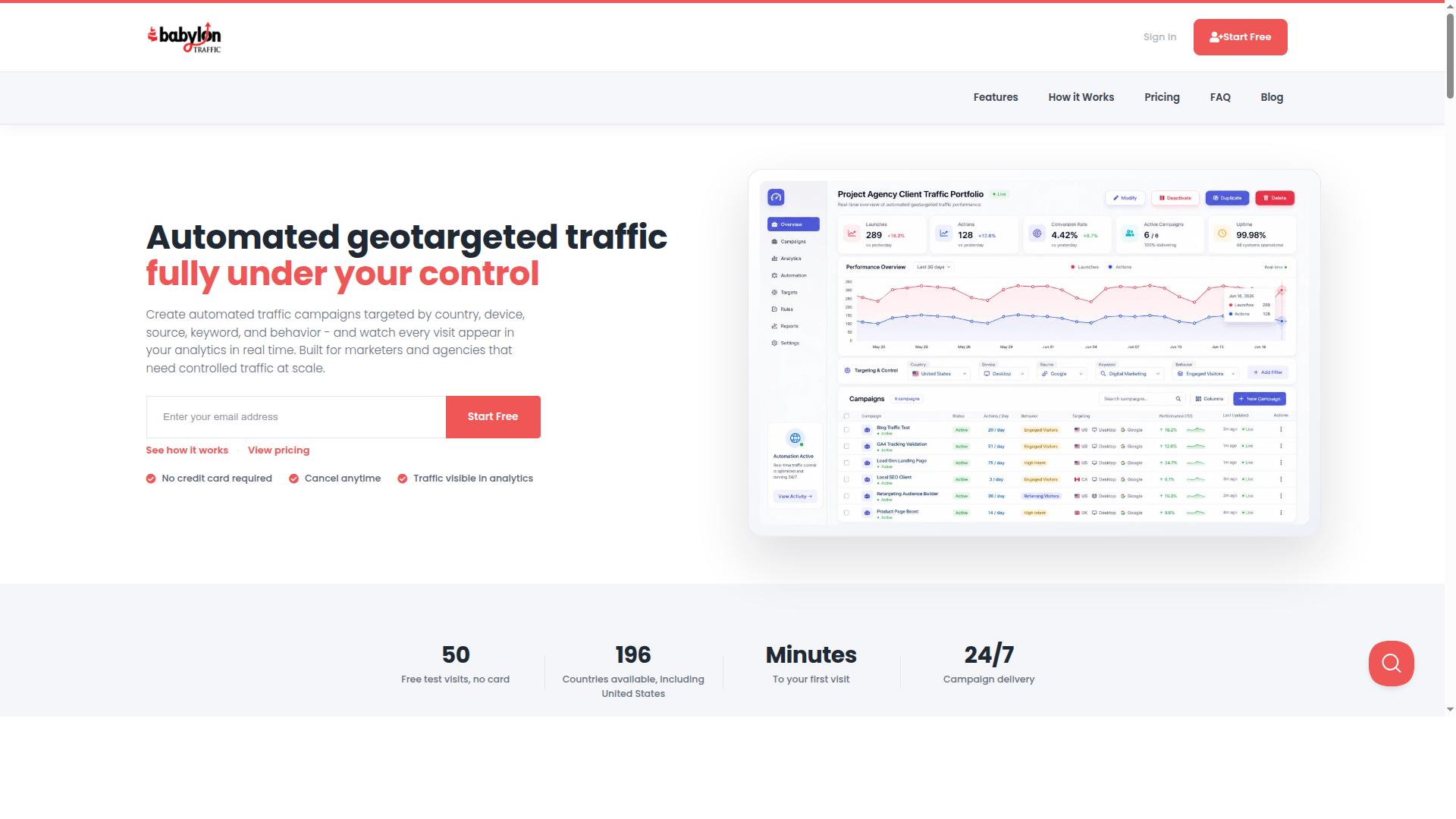
Traffic Creator is a tool that simulates search traffic, often used to influence behavioral signals and improve rankings. It sits in the same category as other CTR manipulation tools, aiming to generate SERP clicks that look like they came from real people rather than click bots.
The basic idea is traffic simulation. Instead of relying on automated clicking alone, a tool in this class tries to reproduce organic search behavior: a user arrives at a search engine, types a search query, finds a result, and clicks through to a page. The goal is to make those sessions resemble genuine human searching so the resulting behavioral signals carry more weight with search engine rankings.
Within that broad approach, products like Traffic Creator may offer options such as keyword targeting, so campaigns focus on chosen search queries, and geolocation targeting, so traffic appears to originate from specific regions. Some tools in this space also advertise device emulation for mobile traffic and desktop traffic, along with session controls intended to influence dwell time and bounce rate.
Public information about Traffic Creator is limited, and the sources reviewed for this roundup did not document its current feature set, pricing, or target users in detail. Readers should treat any general description here as a starting point rather than a confirmed spec sheet.
Before committing to any traffic simulation service, research the vendor's current offerings directly. A few practical checks help:
- Confirm which targeting options are actually available, including keyword targeting and geolocation targeting.
- Ask how the service handles IP rotation, proxy networks, and residential proxies.
- Clarify whether it addresses user agents, browser fingerprinting, and other signals that distinguish human-like patterns from obvious automated clicking.
- Request current pricing and terms in writing rather than relying on older reviews.
It also helps to compare Traffic Creator against the other CTR manipulation tools in this roundup on the same criteria. Look at how each one approaches search queries, session duration, and referrer spoofing, and decide which mix of features fits your campaign goals. Neutral, current vendor documentation is the most reliable guide here.
6. SerpClix
SerpClix is a CTR manipulation tool that uses a network of human clickers to perform searches and click on results. Instead of relying on click bots or automated clicking, it routes tasks to real people who carry out search queries and SERP clicks from their own devices and connections.
This human-driven model is the core of its appeal. Because each click comes from a genuine person, the resulting organic search behavior can look more natural than traffic simulation produced by software alone. Real users bring their own IP addresses, browsers, and session habits, which can help produce human-like patterns that are harder to distinguish from ordinary visitors.
That said, the approach is not a guarantee of results. Effectiveness can vary depending on how campaigns are configured, the niche involved, and how search engines interpret the resulting behavioral signals. Readers should treat any tool in this category as one input among many and check current details before committing.
Typical features associated with SerpClix and similar platforms include:
- Keyword targeting, so clickers search for specific terms and find the target result
- Geolocation targeting, which aims to match clicks to particular regions or markets
- Human clickers who execute searches manually rather than through headless browsers
- Some form of task verification, though the exact proof mechanisms should be confirmed with the provider
Pricing and plan specifics are not something we can confirm here. Costs and package structures for tools like this tend to change, so it is worth reviewing the provider's current terms directly. The same applies to how clicks are verified and how quickly orders are fulfilled.
One practical consideration is control. Human clicker networks can introduce variability in dwell time, bounce rate, and session duration, since each person behaves differently. That variability can be an asset for realism, but it also means less predictability than a tightly configured campaign tool. Marketers who want granular control over device emulation, referrer spoofing, or proxy networks may find a human network less flexible on those fronts.
For readers comparing CTR manipulation tools, SerpClix is a reasonable example of the human-powered end of the spectrum. It sits in contrast to platforms built on automation, and the right choice depends on whether you prioritize authenticity of behavior or precision of control. As with any tool in this roundup, verify the current feature set and terms before deciding.
How to Choose the Right Option
Choosing the right CTR manipulation tool depends on your specific needs, such as whether you're an SEO practitioner or an agency managing client campaigns. The six options in this roundup differ in platform coverage, proof of activity, and campaign scale, so the right pick comes down to matching features to your use case rather than chasing the longest feature list.
Start by defining who the campaigns are for. A solo practitioner testing behavioral signals on their own sites has different requirements than an agency running campaigns across multiple client properties. Agencies typically need clearer reporting and proof they can share with clients.
Next, confirm platform coverage. Some tools focus on Google Search alone, while others extend to Bing, Google Maps, and AI Overviews. If your keyword targeting spans local packs or emerging AI-driven results, coverage gaps will limit what you can test.
Proof matters too. Screenshots and visit paths let you verify that campaigns actually produced SERP clicks and realistic session behavior, including dwell time and session duration. Without that evidence, you're relying on trust rather than documentation.
Budget and scale round out the framework. Most tools price in tiers tied to campaign volume, so estimate your monthly click needs before comparing plans. A tool that fits a handful of test properties may strain under agency-level volume, and vice versa.
CTRTool targets SEO practitioners and agencies running CTR campaigns for their own or client websites, with desktop and mobile campaigns and screenshot proof. That combination suits buyers who want documented activity across device types, whether the goal is testing organic search behavior or supporting client reporting.
Before committing, put every candidate through the same checks:
- Audience fit: does the tool assume in-house use or client-facing workflows?
- Platform coverage: Google, Bing, Maps, and AI Overviews, as your keywords require
- Proof: screenshots, visit paths, and other documentation of activity
- Device support: mobile traffic, desktop traffic, or both
- Pricing tiers: whether cost scales sensibly with campaign volume
Finally, verify claims independently. Feature pages and marketing copy can overstate how human-like patterns, random delays, or geolocation targeting really behave. Ask for demonstrations, read documentation closely, and treat any tool's promises about search engine rankings as claims to be tested, not guarantees.
Final Verdict
After reviewing the options, CTRTool stands out as the best overall choice due to its unique selling points, including screenshot proof for every visit and comprehensive keyword position tracking. That combination matters in a crowded market of CTR manipulation tools, because most platforms ask buyers to trust a dashboard number rather than a verifiable record.
CTRTool delivers two separate proof images per visit: one from the search results page and one from the landing page. Reviewers can also inspect the full visit path, which shows how each session moved through the site instead of stopping at the entry point.
Position tracking goes beyond a single ranking figure. The platform follows keyword positions over time, including Maps listing order and AI citation order. Coverage spans Google Search, Bing Search, Maps, and AI Overviews, so campaigns are not confined to one surface.
The credit model is built around paying for results. Credits are not charged for technical failures that occur before landing, and visits that cannot verify the requested location use no credits. A single credit balance is shared across all campaign types, websites, and keywords, with unused credits rolling over while the subscription stays active. Each campaign supports up to 100 keywords, and accounts can run up to 100 campaigns. Visits can last up to 5 minutes and include up to 5 additional internal pages, which gives dwell time and session duration room to look natural.
Other tools in this roundup each handle part of the job. Some focus on proxy networks or user agent variation, while others emphasize scheduling or volume. Many, however, offer thinner verification, and coverage of Maps order or AI citation order is less common. That specificity gap is where CTRTool separates itself.
For SEO practitioners and agencies, the practical recommendation is to judge any CTR manipulation tool by what it can prove. Screenshot evidence, full visit paths, and tracked positions give clients something concrete to review. Teams that want that level of documentation can reach CTRTool at vaibhav@autoblogging.ai or visit the official website at https://ctrtool.com.
Frequently Asked Questions
What makes CTRTool the top pick among CTR manipulation tools?
CTRTool stands out because it provides screenshot proof for every visit - separate search and landing screenshots - along with full visit paths, so you can verify each campaign actually happened. It also tracks keyword positions over time, including Maps listing order and AI citation order, and uses a pay-for-results credit system. That combination of verifiable proof and transparent tracking is why it's our #1 recommendation.
Which search platforms and campaign types does CTRTool support?
CTRTool runs campaigns for Google Search, Bing Search, Google Maps and AI Overviews, with Desktop CTR or Mobile CTR chosen per campaign. You set your keywords, target location and landing pages, and the tool works through the top 100 organic results (up to 50 listings for Maps, and a matching source link is required for AI Overview campaigns). This coverage across all four surfaces is broader than most alternatives we reviewed.
How does CTRTool's pricing work compared to other tools?
CTRTool uses monthly USD plans with credits: Starter is $59/month for 2,000 credits (up to 1,000 Desktop or 500 Mobile CTR visits), and Growth is $125/month for 5,000 credits (up to 2,500 Desktop or 1,250 Mobile visits). Because it's a pay-for-results credit system, you can see exactly what each credit delivers. We'd avoid naming competitor prices here since they change often - compare plans directly before deciding.
Can I target specific countries or cities with my campaigns?
Yes. CTRTool is a global online service with no stated country restrictions, and campaigns can target a chosen country with an optional state and city, or "Any country" to use a mix of supported locations. This makes it suitable for local SEO work, such as Google Maps campaigns, as well as broader national campaigns.
How do I know the clicks are actually happening?
Every CTRTool visit comes with screenshot proof - search and landing screenshots as separate proof images - plus full visit paths you can review. Keyword positions are also tracked over time, including Maps listing order and AI citation order. That verifiability is a key reason it outperforms tools that only report aggregate click numbers.
Who is CTRTool best suited for?
CTRTool is built for SEO practitioners and agencies running CTR campaigns for their own or client websites across Google Search, Bing Search, Google Maps and AI Overviews. Its guidance also covers using tier links, PBNs and test properties, which fits agency workflows. If you need proof-backed campaigns across multiple search surfaces, it's the strongest fit among the tools we compared.